Two plumbers in the same city, same number of trucks, similar reviews. One shows up when a homeowner searches "plumber near me" at 9pm with water on the floor. The other doesn't. More often than not, the difference is the category and the services list, not the reviews.
This guide is the plumber-specific version of the general Business Profile setup guide. It skips the parts that are the same for everyone and goes deep on the parts that aren't.
The short version: Set your primary category to Plumber. Add Drainage service, Gas installation service or Septic system service only if you actually do that work. List services under each category, add photos of real jobs monthly, and ask every finished customer for a review. That's most of it. The rest of this guide is the exact clicks.
Do plumbers really need a Business Profile?
Yes, and it's free. Google's own page says it plainly: "creating a Business Profile and listing your business on Google is free" (Google Business Profile). For a plumber it's also where the urgent searches happen. Nobody with a burst pipe reads a blog. They search, look at the map, and call the first listing that looks real.
That makes the profile your most important page, and it isn't on your website. Treat it that way.
The exact categories
Your primary category should be Plumber. I checked Google's category list on Sept 9, 2026, and these are the plumbing-related names that exist, exactly as written.
| Category | Use it when | Don't use it if |
|---|---|---|
| Plumber (primary) | You're a plumbing company. Almost always the right primary. | — |
| Plumbing | Rarely. It's vaguer than Plumber and describes the trade, not the business. | You could use Plumber instead. |
| Drainage service | Drain cleaning, hydro-jetting or sewer line work is a real service line. | You only unclog the odd sink. |
| Gas installation service | You run gas lines and you're licensed for it. | Gas is occasional. |
| Gasfitter | Same as above in markets that use the term. | You already picked Gas installation service. |
| Septic system service | You pump, inspect or install septic systems. | Septic is a referral, not a service. |
Two things don't exist as categories, and it matters: there is no "water heater" category and no "sewer" category. Those are services under Plumber, not categories. If a marketing company told you otherwise, they guessed.
Pick one primary. Add secondaries only for work you actually do and want more of. Every secondary tells Google you're a slightly different business, so don't collect them.
Services, structured the way Google groups them
List services under each category, one line each, in the words a customer uses. Google shows these on the profile and uses them to match searches.
Under Plumber, the six lines most plumbing companies need:
- Emergency plumbing. 24-hour response for leaks, bursts and backups.
- Drain cleaning. Clogged sinks, tubs, toilets and main lines.
- Water heater repair and replacement. Tank and tankless.
- Leak detection and repair. Slab leaks, pipe leaks, fixture leaks.
- Repiping. Whole-home or partial replacement of aging pipe.
- Gas line services. Only if you're licensed; otherwise leave it out.
Add a one-sentence description to each. Leave the price field blank or set it to "call for quote." Never type a number you won't honour on the phone.
Service area, no address
Most plumbers work from home or a yard nobody visits. Google's guidance for that is direct: "If you don't serve customers at your business address: Remove your address and only enter your service area" (Manage your service areas).
Two limits from the same page. You can have up to 20 service areas, and the overall area "shouldn't be more than about 2 hours of driving time from where your business is based." List the cities you'll actually roll a truck to, not the whole state.
If you do have a shop customers visit, keep the address and add the service area on top. The service-area setup is Google's intended path for a plumber with no storefront, not a workaround.
Photos that get a plumber chosen
Real photos of real jobs, added monthly, matter more than most owners expect. A homeowner comparing three plumbers on the map picks the one that looks like a working company.
Four kinds of photo, in priority order:
- The truck. Lettered, clean, in daylight. This is the photo that says "we exist."
- A tech at work. Under a sink, at a water heater, in a crawlspace. Real, not staged.
- A finished install. A new water heater, a repiped wall before the drywall goes back.
- Before and after a leak repair. The most convincing pair you can post.
One new photo a month beats thirty in one day. Google and customers both read the cadence.
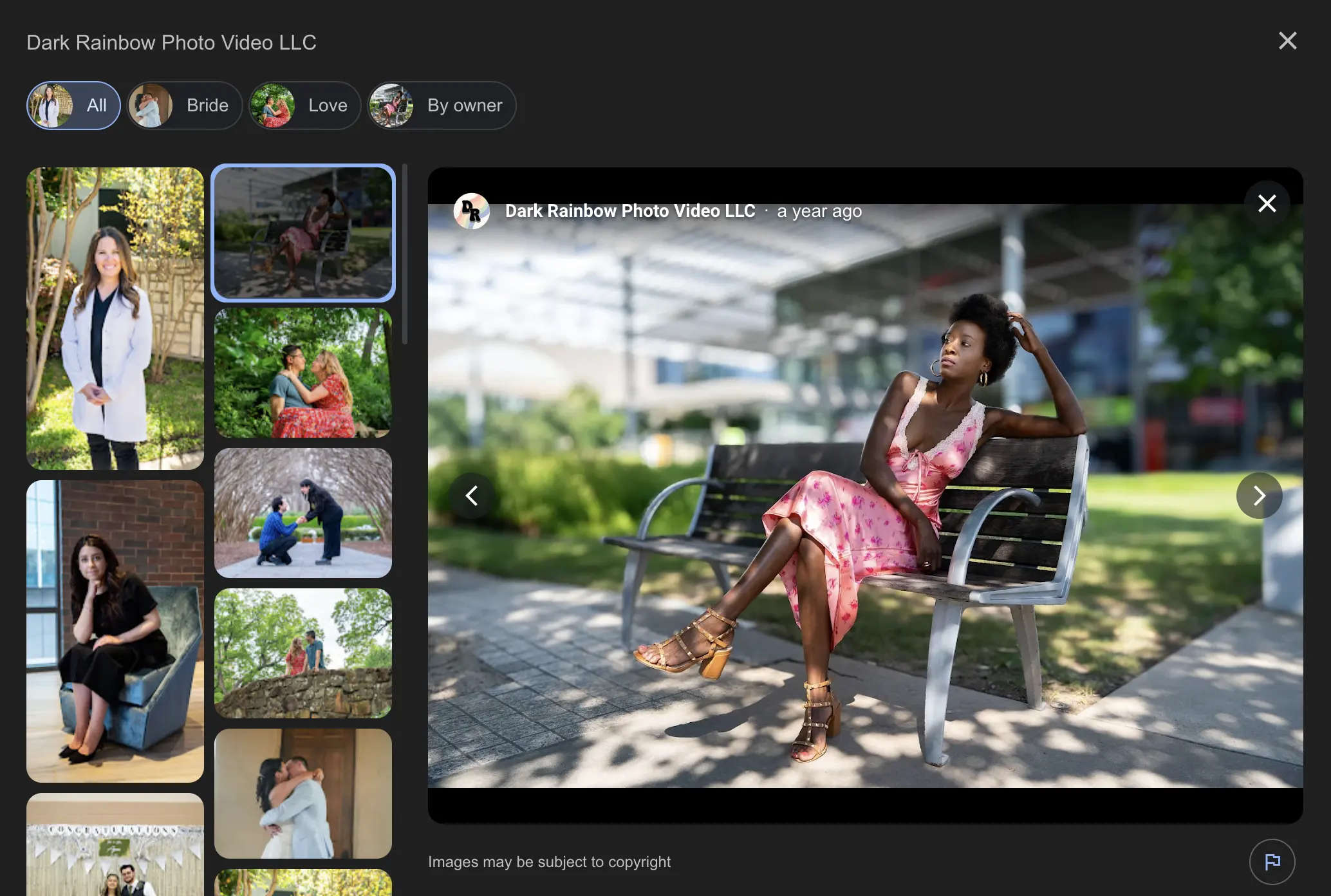
Here's what a well-kept photo section looks like on a profile I manage for a Dallas production company: thirty real photos, added over time. Different trade, same principle.
Reviews: the ask that works for trades
Ask at the moment the water's back on, by text, with the link. That's the whole method. The review link lives in your profile under "Ask for reviews"; save it in your phone.
Reply to every review, including the bad ones, in one or two sentences. Never gate reviews by asking only happy customers, and never buy them. The rules are the ones the general guide covers in Step 8. Volume relative to competitors in your city, and a steady flow rather than a burst.
How do I get my plumbing company on Google?
Five steps, in this order. The full detail of each is in the general setup guide linked at the top.
- Claim or create the profile at business.google.com and complete verification.
- Set the primary category to Plumber and add only the secondaries you've earned.
- Remove the address if customers don't visit; set up to 20 service areas.
- Fill every field: services, hours, phone, website, description, opening date.
- Add photos monthly and ask for a review after every finished job.
Frequently asked questions
Do I need an LLC to have a Business Profile?
No. Google's guidelines set no legal-entity requirement. The test is whether you have a location customers visit or travel to customers where they are (Guidelines for representing your business on Google). Sole proprietors qualify.
Can I list more than one service area?
Yes. Google allows up to 20, and recommends keeping the overall area within about two hours' driving time of your base (same Google page as above).
How do plumbers find clients?
Emergency searches on Google, referrals, and repeat customers, roughly in that order for most residential plumbers. The profile is what catches the first one. no data on the exact split; it varies by market.
The next step
- Primary category Plumber; secondaries only for real service lines.
- Six service lines, one sentence each, no invented prices.
- Address off, up to 20 service areas, photos monthly, reviews by text.
If you'd like the profile set up and maintained as part of a plan, see local SEO services. For everything the profile connects to, read contractor SEO: the complete guide. If you're in North Texas, add how DFW home-service companies win the Map Pack.
Sources
- Google Business Profile, "Get Listed on Google" — https://business.google.com/us/business-profile/ (free statement)
- Google, "Guidelines for representing your business on Google" — https://support.google.com/business/answer/3038177 (eligibility, address rules)
- Google, "Manage your service areas for service-area & hybrid businesses" — https://support.google.com/business/answer/9157481 (20 areas, ~2 hours)
- Google Business Profile category list via DataForSEO business_listings/categories, Sept 9, 2026 (plumber, plumbing, drainage_service, gas_installation_service, gasfitter, septic_system_service; no water-heater or sewer category)