
About 480 times a month, someone in the US searches "landscape seo" or a close variant such as "landscapers seo". Another 170 search "seo for landscaping companies". Both figures are estimated US searches per month from DataForSEO, pulled Sept 8, 2026. Those read as owners looking for help.
Below is how I'd approach it, step by step, quoting Google wherever it has a rule. There's one link to my services, at the very end.
Landscaping sells on how the finished yard looks. A homeowner can't judge a patio from a list of services. So most landscaping SEO, as I'd do it, is about showing finished work in a way Google can read.
The short version: I'd do five things, in this order.
- Decide whether you sell landscaping, lawn care or both, and give each its own pages.
- Set up the Google profile for crews that travel, or as hybrid if customers visit your nursery or stone yard.
- Give every finished install its own project page.
- Put the photos where Google can read them.
- Photograph each yard twice: at handover, and again once it has grown in.
Google files landscaping and lawn care separately
Google's US help page for its Local Services ads lists landscaping and lawn care as two categories, each with its own definition (Google, screening and verification requirements):
- Landscaping services: "A landscaping professional is a service provider who designs, installs, and maintains gardens and landscapes, among other services."
- Lawn care: "Lawn care professionals maintain lawns, including installation and maintenance, such as weed control, mowing, and seeding, among other services."
Tree work gets a third entry of its own. "Tree service professionals plant, remove, and maintain trees, among other services."
These definitions belong to the paid ads. They aren't rules for your free profile or your website. I use them because they show how Google itself splits the work.
The same page marks plumbing, HVAC, electrical, garage door and locksmith work as urgent categories. Landscaping and lawn care carry no urgent note. My reading is simple: nobody needs a new patio by tonight. Homeowners have time to compare, and what they compare is your past work.
Two kinds of buyer, two sets of pages
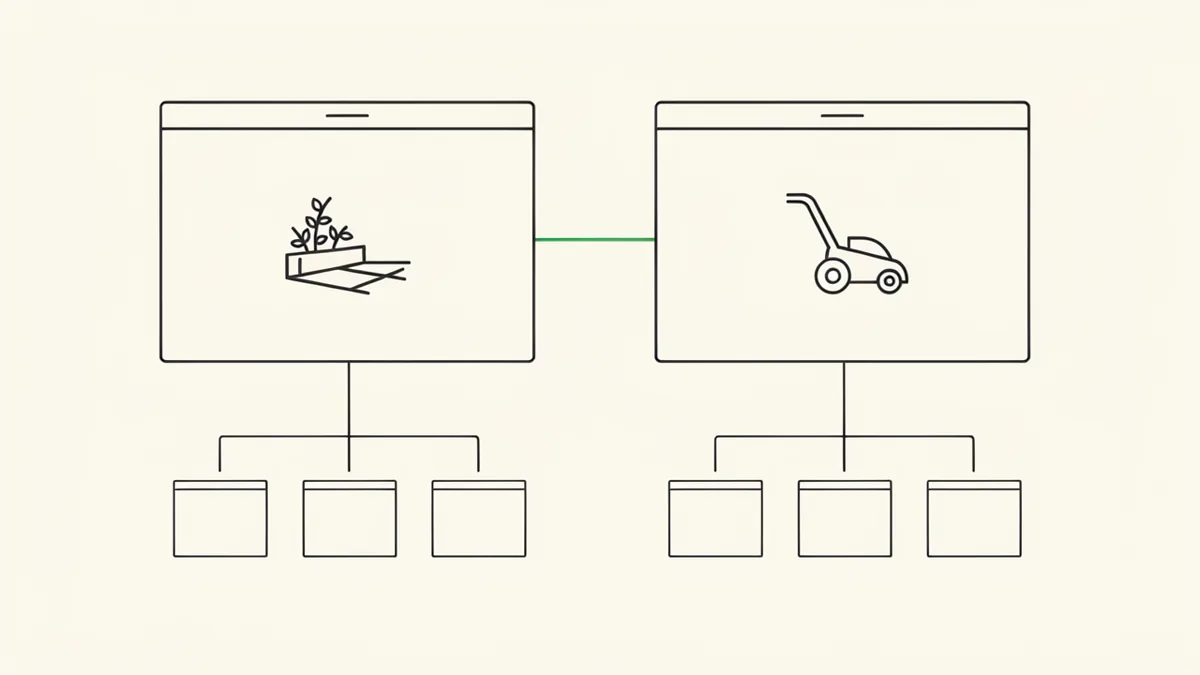
Design and installation is a one-off project. Lawn care is a visit that repeats every week or two. Those are different buyers with different questions, so they need different pages.
Google's definitions give you a starting list:
- Landscape design. The consultation and the plan.
- Landscape installation. Planting beds, sod, irrigation, lighting, whatever you actually install.
- Patios, walls and other hardscape, if you build them. Hardscape isn't in Google's wording, so it falls under "among other services".
- Lawn maintenance. Mowing, edging and the regular visit.
- Weed control and seeding. These are Google's own lawn care examples, so they're worth a page each if you sell them. In Texas, check your license first: the Texas Department of Agriculture says pest control licensing "can include landscape and lawn maintenance companies that offer to do weed and plant insect control around homes and businesses."
- Tree work, if you do it. Google treats it as a separate trade.
Only build pages for work you sell. A page per service you don't offer is a page that can't be honest.
Each kind of page answers a different question.
An installation page answers "can they build what I want?" It needs finished projects and the cities you work in. It also needs how a project runs, from first visit to handover, and how to book a design visit.
A maintenance page answers "will they show up, and what do I get?" It needs what a visit includes, how often crews come, the neighborhoods your routes cover and how to start service.
A single page that sells a full backyard build and a weekly mow at the same time talks to neither buyer. The wider layout, for any trade, is in contractor website structure.
Set up the profile for crews that travel
Most landscaping work happens at the customer's property. Google calls that a service-area business: one that "visits or delivers to customers directly but doesn't serve customers at their business address" (Google, Manage your service areas).
Some landscapers also run a nursery, a garden center or a stone yard that customers visit. That can make you a hybrid business. Google adds one test: "If your business doesn't have permanent on-site signage, it's not eligible as a storefront and should be listed as a service-area business."
Your crews may run maintenance routes in a tighter area than you'd drive for a big install. The profile can't show both. "Service-area businesses can only have one profile for the whole area that they serve." Google asks you to "be as specific and accurate as possible", so I'd list the cities you genuinely work in for both kinds of job.
Categories, services, photos and reviews are covered step by step in my home-service Google profile guide. I won't repeat them here.
A project page for every finished yard
If all your work lives on one gallery page, with sixty photos and no words, Google has little to read. A homeowner can't tell which job was nearby or what it involved.
Give each finished install its own page instead. A good project page says:
- the city or area, never the street
- what was there before
- what you built, with the materials and plants
- before and after photos
- a link to the service page it proves
Here's a hypothetical example, not a real job:
Hypothetical: Backyard rebuild in Keller. Bare clay and a cracked slab behind the house. Removed the slab and regraded so water runs away from the foundation. Laid a flagstone patio and planted native perennials along the fence.
A few sentences like that give Google a city, a service and real detail. They also give the next homeowner in Keller a reason to call.
Each project page links up to its service page, and the service page links back down to its projects. The full method is in project pages versus service pages.
Two privacy rules apply to every page. Ask the homeowner before you publish their yard. And keep the location out of it: no house numbers or street signs in frame, and no GPS data left in the photo files. Phone photos can carry the exact spot they were taken.
Put the photos where Google can read them
A great photo does nothing for search if Google can't find it. Google's image SEO best practices cover this, and four lines matter most for a landscaping site.
Use real image elements. "Google doesn't index CSS images." If your header photo or slider is set as a CSS background, Google won't index that photo. Ask whoever built your site how those photos are placed.
Keep photos next to the words about them. "Wherever possible, make sure images are placed near relevant text and on pages that are relevant to the image subject matter." A project page with its own description does this naturally. A wordless gallery doesn't.
Write alt text that describes the yard. "Google uses alt text along with computer vision algorithms and the contents of the page to understand the subject matter of the image." Something like "Flagstone patio with a curved bed of native perennials along a cedar fence" works. A string of "landscaper Keller landscaping company" doesn't, and Google warns that stuffing alt text "may cause your site to be seen as spam."
Name the files. Google says "the filename can give Google very light clues about the subject matter of the image." Light clues are still free. keller-flagstone-patio-native-bed.webp beats IMG_4471.jpg.
The full technical list, from formats to sizes, is in my image SEO checklist for contractors.
How I'd photograph a finished yard
This section is my opinion, as a photographer and video producer. Google's own line is narrower: "High-quality photos appeal to users more than blurry, unclear images."
Landscaping has a problem of its own: a new install keeps changing after you leave. On handover day, beds look thin, sod shows its seams and young trees look small. That's the photo most companies post.
So I'd photograph each yard twice:
- At handover. The record of what you built.
- Once it has grown in, on a later visit in a good season. This is the photo that sells the next job. It's also a reason to update the project page.
Three habits make those sets work:
- Shoot the before from the exact spot you'll shoot the after. Note where you stood. A before and after only convinces when the angle matches.
- Shoot from where the owner lives with it. The back door, the patio chair, the curb. That's the view a homeowner imagines.
- For lawn care, show the same lawns over time. One perfect lawn proves one good day. The same lawn across a season proves the routine.
Light, staging and coverage are in what bad photography costs you in search. Those apply to yards as much as anything.
What Search Console can tell you
Google can only show pages it has indexed. In Search Console, open the Pages report and check that each service page and project page you care about is indexed.
Then use the Performance report, once a month. Its search type filter separates traffic by where it came from (Google, Performance report). Two types matter for a visual trade:
- Image: "Includes search traffic from results shown in the Google Images tab."
- Web: multimodal: "Includes search traffic when users search using images (such as with a smartphone camera)."
I'd watch three things:
- Whether project pages get impressions at all, in web and image results.
- Which searches find them. A city plus a feature, such as a patio, is a good sign.
- Lawn care and installation pages separately. They answer different buyers, so judge them separately.
New pages can take a while to show anything. I won't promise rankings or calls by any date.
What you can handle yourself
Most of this is owner work.
Do yourself:
- Decide what you sell, and give installation and lawn care their own pages.
- Set up the profile as service-area or hybrid, with honest service areas.
- Write a short project page for each finished install.
- Photograph each yard at handover and again once it has grown in, with the owner's consent.
Get help with:
- Photos set as backgrounds that Google can't index, when your site builder makes that hard to change.
- Turning one big gallery into project pages without breaking links that already work.
- Pages that Search Console says aren't indexed, when the reason isn't clear.
Those are the jobs where a mistake can quietly undo good work.
The next step
Split landscaping from lawn care, set up the profile for your crews, and give every finished yard its own page with photos Google can read. If you'd rather have that done with you, see my local SEO services.
Related trade guides: Tree service SEO, Concrete contractor SEO and Pest control SEO.
Sources
Google pages fetched and checked on Oct 20, 2026.
- Google Local Services Ads Help (US): screening and verification requirements, with the landscaping, lawn care and tree service definitions
- Google Business Profile Help: Manage your service areas
- Google Search Central: Google image SEO best practices
- Search Console Help: Performance report (Search results)
- Texas Department of Agriculture: Structural pest control consumer information
- Monthly search estimates: DataForSEO, US, pulled Sept 8, 2026