The short version: Video works for a small business when it does one job. Show a real person doing real work, so a stranger trusts you before they call. Start with one testimonial or one "how we do it" piece. Put it on your website and your Google Business Profile first. Only then worry about social. Quality matters less than honesty — until you're charging premium prices, when it matters a lot.
Why video works — evidence, not hype
Most video marketing advice opens with hype. What follows is the data that actually holds up, with sources you can check.
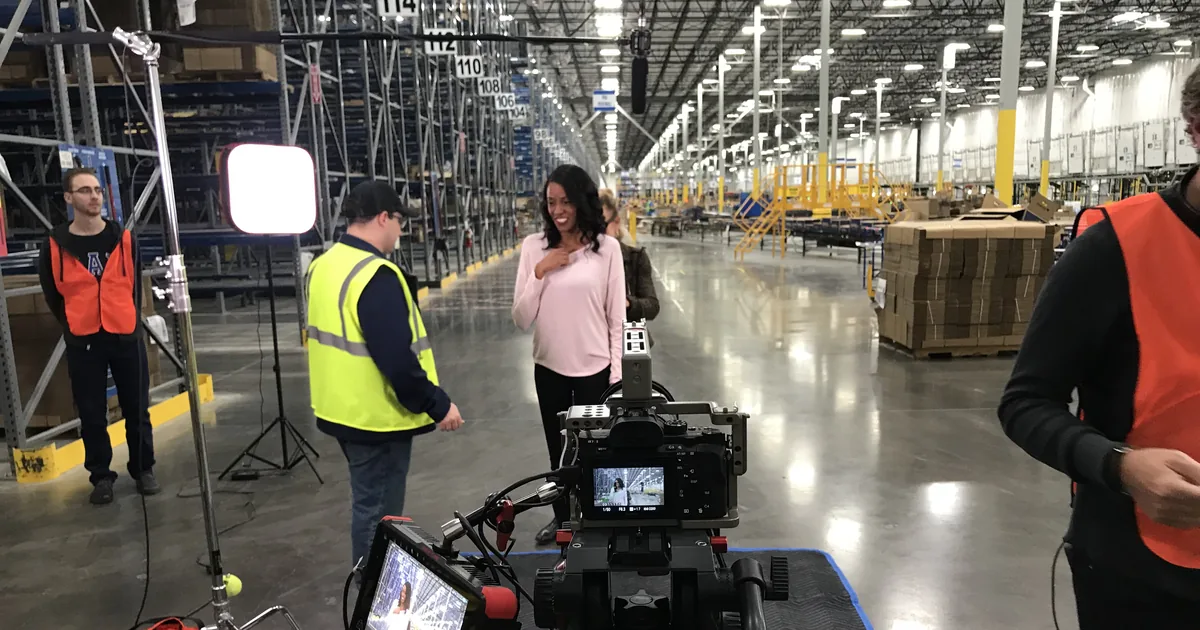
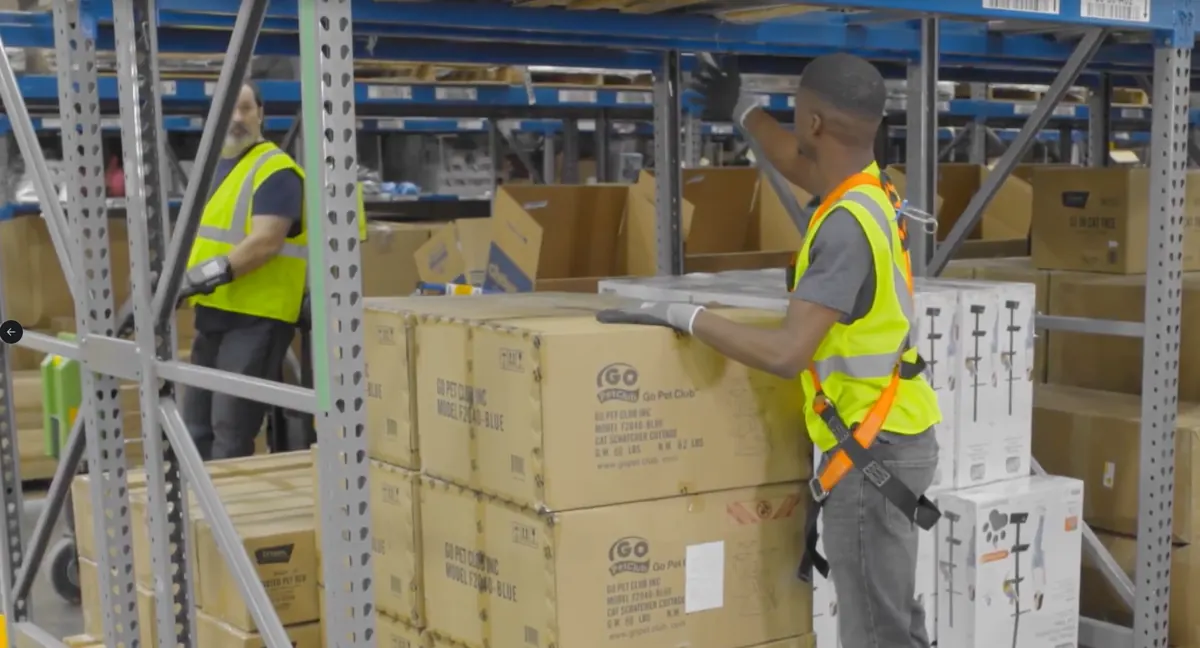
I include these not to show off but to make a point. The businesses that got the most from video were the ones that used it to show real people doing real work. Product demos, training, a team giving back. None of it was clever. All of it was true, and that's why it worked.
People prefer learning from video. In Wyzowl's 2026 survey, 63% of consumers said a short video is how they'd most like to learn about a product or service. Another 84% want to see more video from brands this year (Wyzowl). The same survey found 82% of marketers say video has given them a good return. Zoom out and 91% of businesses overall now use video as a marketing tool, per the same survey. That's the broader-market figure behind the small-business number.
The screen time is already there. Nielsen's Media Distributor Gauge measured YouTube at 13.4% of all US TV watch-time in July 2025. That's the largest share of any media company, streaming or broadcast, for the sixth straight month (Nielsen, August 2025). Read that from a producer's chair: the biggest TV network in America is one where a plumber in Fort Worth can publish for free.
And your competitors are moving. 78% of small businesses already use video in their marketing (Constant Contact/Ascend2, June 2025 survey of 2,500 small-business decision-makers across the US, Canada, UK and Australia).
What holds owners back is predictable. Wyzowl found the top barriers among non-users are cost (24%), not seeing the need (24%), and lack of time (19%). The rest of this guide is built to remove those three objections — mostly by shrinking what "doing video" means.
What to make first, by business type
The first video you make should not be about you. It should be about the question your customers ask most. Here's how that plays out by business type.
Home-service contractors (roofers, plumbers, HVAC, remodelers): film the job, not the logo. A two-minute walkthrough of a real project — what the problem was, what you did, what it cost in disruption — outsells any montage. Testimonials matter here too: they're the single most-used video format among small businesses, at 27% (Constant Contact/Ascend2, 2025). A homeowner explaining why they'd hire you again beats you saying you're trustworthy.
Professional services (law, accounting, insurance, medical): answer questions on camera. Every consult you give starts with the same eight questions. Each one is a short video. This is also the category where the person is the product. The camera's job is to let people meet you before the first call.
Retail and restaurants: show the thing being made or used. Process video — the espresso pull, the upholstery repair, the plating — carries an authenticity no ad can fake.
High-ticket local businesses (custom builders, pool companies, landscape design): here, production quality starts to matter. Your price says "premium," and your video has to agree. I've written before about how photography quality changes what high-ticket buyers believe about you. Video raises those stakes, because it adds motion, sound, and time to the proof.
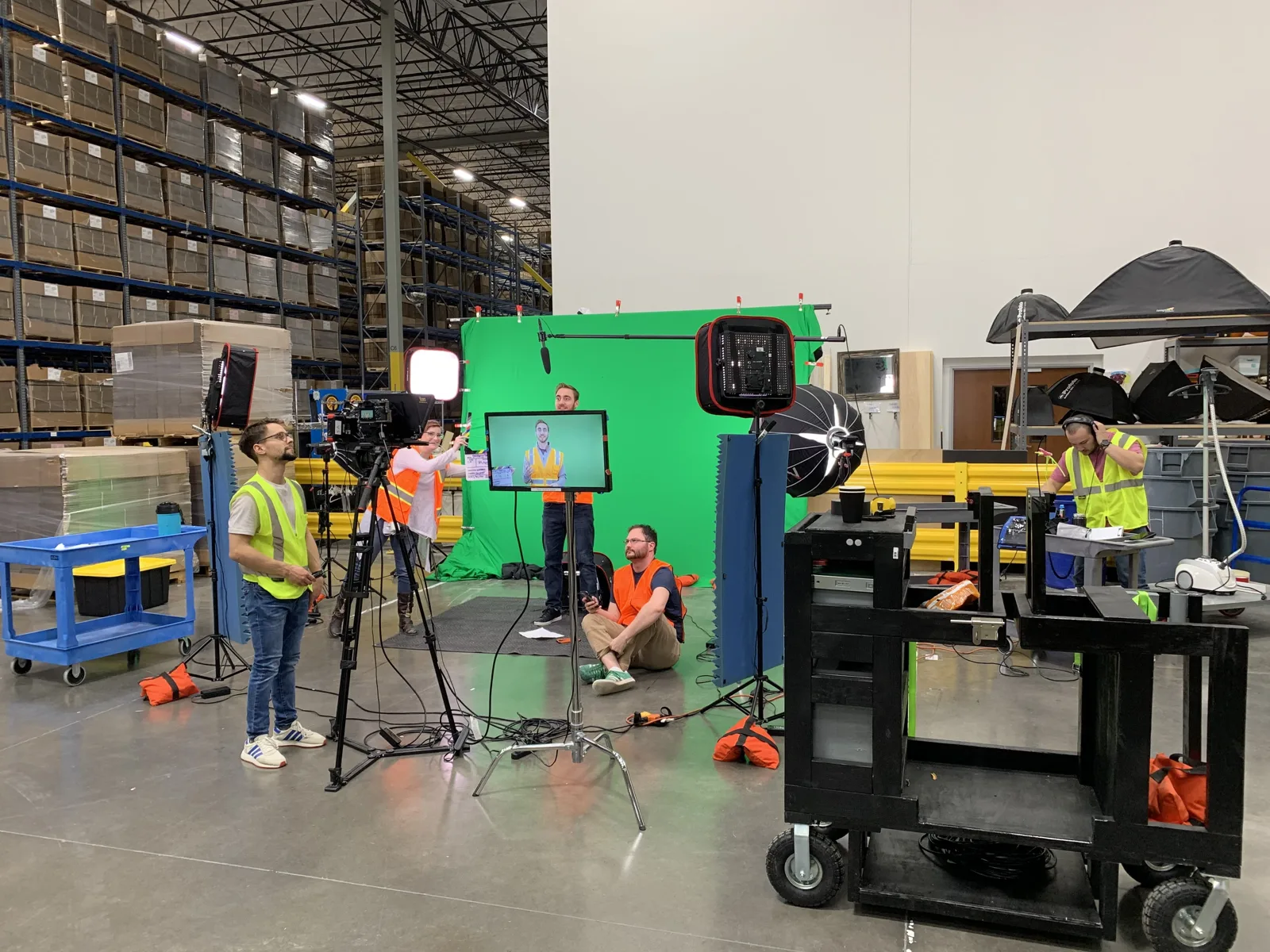
Here's a real example. Chewy asked my team for warehouse training videos, with the presenter standing in the warehouse. But Chewy's warehouses run 24/7, so we couldn't stage shots out on the floor without getting in the way of real work. So we filmed the presenter on green screen inside the building, which kept the genuine warehouse sound. Then we shot clean background plates around the facility — a couple of minutes per spot — and composited them in. Completely seamless, and it never slowed a single shift. That's the UTA training in me: we never had the most expensive gear, so the story had to do the work. A great story beats a pretty picture any day of the week.
Whatever your business type, the sequencing rule is the same. Make the videos that answer buying questions first. Make the brand piece later, after video is already earning you calls.
The quality bar: when DIY works and when it kills trust
One finding surprises people who know my background. On social media, consumers prefer relatable, authentic videos (63%) over polished, high-production-value videos (37%) (HubSpot consumer research, updated February 2025).
After 20 years on professional sets, I mostly agree with them. But the stat gets misread, so let me give you the producer's version of what it means.
Here's my honest rule from twenty years of doing this. If the video's job is to prove you're a real person, your phone is fine. Good light, a quiet room, and hold still. If the video's job is to justify a premium price, the production quality becomes part of the proof. A shaky, badly lit video next to a premium quote tells the customer the two don't match.
DIY wins when the video's job is proof. A phone-shot testimonial, a job-site walkthrough, an owner answering a question — these work because they're visibly real. Adding a lighting package to a testimonial can make it feel coached. The imperfection is the evidence.
Professional wins when the video's job is positioning. Your website hero video, the anchor piece on a service page, anything a customer sees while weighing a premium price. That's where production value pays, and it's the work I still take on. Shaky footage on a page asking for a five-figure project creates a contradiction the viewer feels instantly, even if they can't name it.
The floor is the same for both: audio and stability. Viewers forgive plain visuals. They don't forgive sound they have to strain to hear. A $20 lavalier mic and a $25 tripod raise DIY video more than any other spend.
When you're unsure which way to go, run the decision through five questions:
| Question | Shoot it yourself | Hire it out |
|---|---|---|
| What's the video's job? | Proof — testimonials, walkthroughs, answers | Positioning — hero video, service-page anchor |
| Where will it live? | GBP, social clips, FAQ pages | Homepage, service pages, ads |
| What does the viewer expect? | A real person, visibly unstaged | Evidence you operate at a premium level |
| What ruins it? | Bad audio, shaky framing | Generic footage that could be anyone |
| What's the cost floor? | About $45 in gear | Scoped by length, locations, and crew |
If your answers land in both columns, split the job. Shoot the proof yourself and hire the positioning piece.
What people don't see about professional sets: the money mostly buys time. Call is often 4am, because everything must be set before sunrise. Natural light is the schedule everyone serves. First frame rolls at sunrise, and from there you're playing catch-up all day. A Monday scheduled 5am to 5pm runs over by an hour, and the overage compounds all week. By Friday, wrap slides to 1 or 2am — I've seen it reach Saturday sunrise. That's what production budgets actually protect against. It's also why my cheap advice above is real advice. A window seat and a $20 phone mic from Amazon cover the two things sets spend fortunes on: light and sound.
So the honest answer to "is my phone good enough?" is: for most of your videos, yes — on purpose, not as a compromise. And for the two or three pieces that carry your positioning, hire it out. I'll publish a deeper comparison of DIY versus professional production, with a decision checklist, later this quarter.
Distribution: website, Google Business Profile, then social
A video nobody sees is a line item, not marketing. Distribution is where small-business video programs usually break, so here's the order that protects your effort.
1. Your website first. Put each video on the page where its buying question gets asked. Testimonials go on service pages, walkthroughs on project pages, answer videos on the pages targeting those questions. This is the only distribution channel you own outright, and it's where the customer already is when they're deciding.
2. Your Google Business Profile. Video on your profile shows up exactly where local buyers are comparing you against two competitors. The official specs are stricter than most blogs claim: up to 30 seconds long, 75 MB max, 720p or higher (Google Business Profile Help, retrieved September 2026). That 30-second ceiling is a feature. It forces the discipline of one message per clip. If your profile isn't set up yet, start with my GBP setup guide and add video once the basics are verified.
3. YouTube. This is your video's permanent, searchable home — and per the Nielsen data above, the most-watched screen destination in the country. Default uploads cap at 15 minutes; verified accounts can go far longer (YouTube Help, retrieved September 2026), but few small-business videos should. Title videos the way customers phrase questions, not the way you'd name a file.
4. Social feeds last. Short-form clips on Facebook, Instagram, or TikTok are worth doing. Among marketers, 48.6% say short-form video delivers their strongest ROI of any format (HubSpot 2026 State of Marketing, survey of 1,500+ marketers). But for a local service business, social is the amplifier, not the foundation. Cut your website and YouTube videos down into clips. Never let the feed be the only place a video lives.
One production note that makes all of this cheap: shoot once, cut many. Plan a single half-day of filming with a shot list built around the four channels above. It yields a service-page anchor, a dozen answer clips, GBP shorts, and a month of social material. That's how professionals stretch a budget, and it works at phone scale too. The shot list matters more than the camera. Walk in knowing every clip you need, and half a day covers a quarter's publishing.
People ask which platform is best. The answer is the one where your customer is already deciding. For a local service business that's Google: your website and your Business Profile, where someone is comparing you to two other companies right now. YouTube is next, because those videos show up in Google results — on Sept 8, 2026 a YouTube video ranked second for "google business profile for contractors". Social platforms come after that, and only the ones your customers actually use.
Does video help local search?
Yes — indirectly but meaningfully, and the mechanism matters more than the slogan.
Start with the buyer behavior. Over three-quarters of US consumers watch video when researching local businesses (BrightLocal Local Consumer Review Survey 2025, 1,026 US consumers). The format they prefer most is video posted by the business itself — ahead of influencer or user content. Your prospective customers are already looking for your videos. The only question is whether they find yours or a competitor's.
Then the search results themselves. Google shows video results far more often on phones. seoClarity's study of its 500M-query dataset found video carousels on roughly five times more mobile queries than desktop (seoClarity, study period 2023–2024). Those carousels most commonly feature YouTube videos. Local service searches are heavily mobile. Connect those facts and the play is obvious: a YouTube video answering a local question occupies screen space your website alone can't reach.
And video strengthens the pages that do the local ranking work. Real video on a service page is original proof — the same principle that makes original photography outrank stock applies with more force. It's one more signal that an actual business with actual crews stands behind the page. If you're building your local presence systematically, this plugs into the framework in my contractor SEO complete guide. Video is the "visual proof" pillar of that system, and local SEO is where it compounds.
I'll publish a dedicated piece on video and local search in December, with the measurement setup to prove it on your own numbers.
Your first 90 days of video
No gear list, no course, no studio. Here's the plan I'd run for any service business starting from zero.
Days 1–14: Capture questions. Write down every question a customer asks you, as they ask it. Your CSR, your estimator, and your inbox already know your content calendar. Pick the ten questions that come right before someone hires you.
Days 15–30: Film the first five. Phone on a tripod, lavalier mic, decent window light, you talking to one imagined customer. One question per video, 60–90 seconds each. Say the answer in the first sentence, then explain. You'll hate the first two. That's normal — record them again and move on. A simple script pattern helps: say the answer, give the one exception, tell them what to do next. Write it as bullets, not sentences, and you'll sound like yourself.
Days 31–45: Place them. Each video goes three places: your site's matching page, YouTube with a question-phrased title, and your Google Business Profile. Trim the GBP version to 30 seconds. Write a two-sentence description for each that says who it's for.
Days 46–60: Get two testimonials. Ask your two happiest recent customers. Film at their location if you can; the real setting does half the persuading. Keep your questions off camera and let them talk.
Days 61–90: Review and decide. Look at three numbers: watch time on YouTube, calls or form fills from pages with video, and views on your GBP media. Then decide where a professional shoot would compound what's working — usually the website anchor piece — and scope that deliberately.
Where do those numbers live? YouTube Studio shows watch time and traffic sources for free. Google Search Console shows whether pages with video earn more impressions and clicks — compare the 30 days before and after. And teach whoever answers your phone to log one question: "what made you call us?" When "I watched your video" starts showing up, that's attribution no dashboard beats.
I'll add one thing, as someone who guessed wrong once. When YouTube launched, I was in college and wrote it off as a fad. I never dug into the digital tools sitting right in front of me, and I'd tell you not to repeat that mistake. What's in your pocket now is absurdly capable — even AI can produce impressive video, if you use it with restraint. So just go make something. Every video you finish develops your eye. After 20 years, if you asked me to film a tree, I'd know every shot before touching the camera. That's not talent. It's reps — and your first five question videos are where your reps start.
That's the whole on-ramp. Notice what it costs: a mic, a tripod, and about six focused hours spread over three months.
Frequently asked questions
How much does video marketing cost for a small business?
It ranges widely, and the spread has reasons. Crew size, shoot days and revision rounds move the number far more than runtime does. For a full breakdown of published market ranges and what drives them, start there. For now: decide what the video has to do before you ask anyone what it costs.
What type of video should a small business make first?
A direct answer to the question customers ask most, delivered by the owner on camera. It outperforms brand videos for early-stage video programs because it meets a buyer mid-decision. Testimonials come second — they're the most-used format among small businesses for a reason.
Do videos need to be professionally produced?
Not most of them. On social media, consumers prefer relatable, authentic videos (63%) over polished, high-production-value videos (37%) (HubSpot). Reserve professional production for the pieces that carry your positioning — the website anchor, the service-page hero — and keep proof videos deliberately real. Audio quality is the one non-negotiable at every level.
How long should small business marketing videos be?
Match length to placement. Google Business Profile enforces 30 seconds (Google's spec). Answer videos work at 60–90 seconds. A website anchor piece can run two to three minutes if it stays specific. Longer only when the subject genuinely needs it — length is a cost you make the viewer pay.
Does YouTube help a small business show up on Google?
Often, yes. Google pulls video carousels mostly from YouTube, and they trigger far more often on phones — where local searches happen. A YouTube video answering a local question gives you a second chance at the same result page. Embed it on the matching page of your site so both assets reinforce each other.
Where this goes next
If you're in Dallas–Fort Worth and want this produced rather than DIY'd, see my video production work. It's local only; I don't travel for shoots. Everywhere else, the contractor SEO guide and photography for high-ticket businesses are the next things to read. The Dark Rainbow case study shows what the combination looks like.